JavaScript is disabled in your browser. Please enable JavaScript to use all features of Guideflow.
Sign in
Try Guideflow
1.
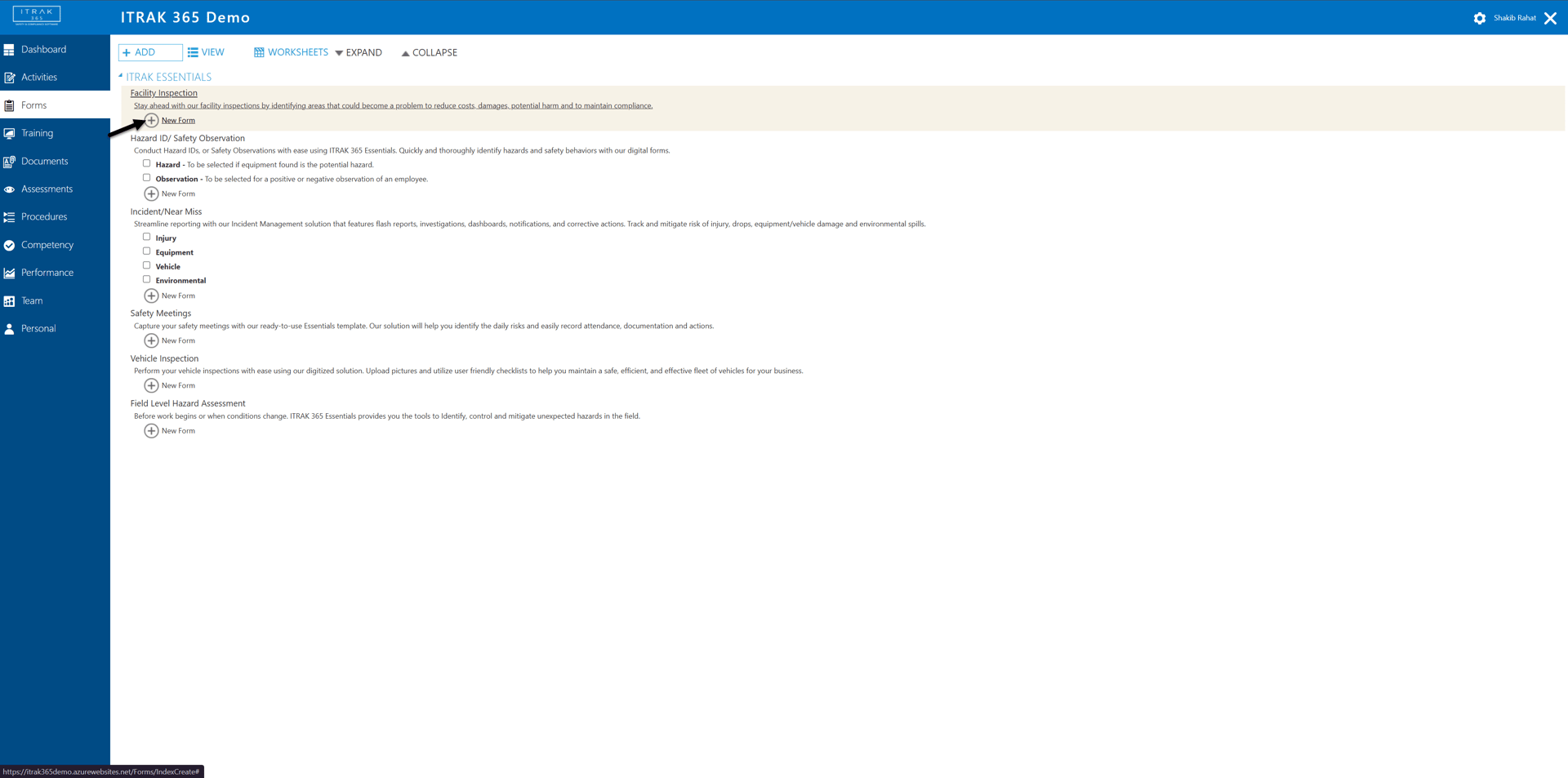
Starting an Inspection
2.
Saving the record
3.
Auto-populated fields
4.
Inspected By
5.
Select Employee
6.
Area
7.
Select business unit
8.
Location
9.
Search for Facility
10.
Search for Facility
11.
Select Facility
12.
Inspection Team
13.
Search for Team
14.
Search for Team
15.
Select Employees
16.
Select Role
17.
Select Role and Save & Close
18.
Save Options
19.
Type of Inspection
20.
Office Inspection Checklist
21.
Start Inspection
22.
Go through checklist
23.
Go through checklist
24.
Add Findings
25.
Add Findings
26.
Choose Finding Category
27.
Fill in Description
28.
Save & Create Action
29.
Assign Action
30.
Action Classification
31.
Corrective Action
32.
Action Dates
33.
Action Priority
34.
Action Details
35.
Action Risk
36.
Risk Matrix
37.
Select severity level
38.
More Action Details
39.
Action Time Records
40.
Save added Action
41.
Review Completed Inspection
42.
Save completed Action
My Guideflow
Guideflow
.
Guideflow
.
1
/42
Close menu
1.
Starting an Inspection
2.
Saving the record
3.
Auto-populated fields
4.
Inspected By
5.
Select Employee
6.
Area
7.
Select business unit
8.
Location
9.
Search for Facility
10.
Search for Facility
11.
Select Facility
12.
Inspection Team
13.
Search for Team
14.
Search for Team
15.
Select Employees
16.
Select Role
17.
Select Role and Save & Close
18.
Save Options
19.
Type of Inspection
20.
Office Inspection Checklist
21.
Start Inspection
22.
Go through checklist
23.
Go through checklist
24.
Add Findings
25.
Add Findings
26.
Choose Finding Category
27.
Fill in Description
28.
Save & Create Action
29.
Assign Action
30.
Action Classification
31.
Corrective Action
32.
Action Dates
33.
Action Priority
34.
Action Details
35.
Action Risk
36.
Risk Matrix
37.
Select severity level
38.
More Action Details
39.
Action Time Records
40.
Save added Action
41.
Review Completed Inspection
42.
Save completed Action
Sign in
Try Guideflow